Top Robotic Toys for Young Innovators: Sparking Creativity and STEM Skills
Introduction
In an age where technology surrounds every aspect of our lives, it’s no surprise that many children are fascinated by robots. Whether they dream of building a Mars rover, programming a drone, or creating their own mechanical friend, the right toy can ignite a lifelong passion for science, engineering, and problem-solving. But with thousands of options on the market—ranging from simple push-button bots to complex coding kits—parents often feel overwhelmed. This article explores the best toys for kids who like robots, carefully categorizing them by age group, skill level, and educational value. From toddlers taking their first steps into cause-and-effect to teenagers mastering Python, there is a robotic toy for every budding inventor. We will examine key features to look for, safety considerations, and how each toy fosters critical thinking, creativity, and resilience. By the end, you’ll have a comprehensive guide to choosing the perfect robot companion for your child.
Why Robot Toys Matter More Than Ever
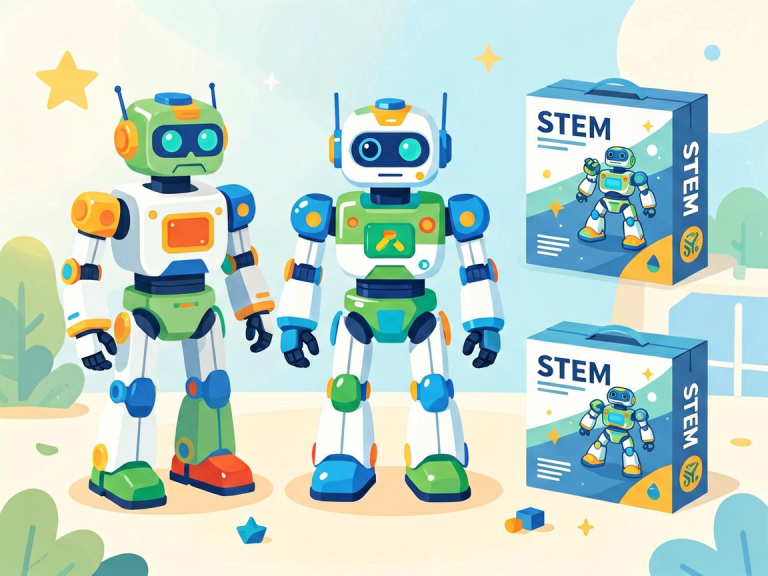
Robot toys are not just fun; they are powerful educational tools. In today’s digital world, early exposure to robotics helps children develop computational thinking—the ability to break down complex problems into manageable steps. Building and programming a robot teaches patience, troubleshooting, and logical reasoning. Moreover, many modern robot toys incorporate STEM (Science, Technology, Engineering, and Mathematics) principles in a playful manner, making abstract concepts tangible. For example, a child who builds a gear-driven rover understands simple mechanics, while another who codes a robot to follow a line learns about sensors and algorithms. Additionally, robot toys often encourage collaboration. Siblings or friends can work together to design a robot’s behavior, promoting communication and teamwork. Finally, the sheer joy of watching a creation come to life builds confidence and a sense of accomplishment. In a world increasingly driven by automation, familiarity with robotics is an invaluable skill—and it starts with play.
Top Robotic Toys by Age Group
Ages 3–5: First Encounters with Interactive Bots
For preschoolers, the best robot toys focus on cause-and-effect, basic shapes, and simple sounds. Children this age are naturally curious about things that move or respond to their actions. Safety is paramount: no small parts, no sharp edges, and no complex wiring.
- Fisher-Price Think & Learn Code-a-Pillar Twist – This brightly colored caterpillar is a gentle introduction to sequencing. Kids rearrange its segments to create different movement patterns. Each segment triggers a specific action: go straight, turn left, make a sound. By experimenting, children learn the foundation of coding—one step at a time. The segments are chunky and easy for little hands to snap together. The Code-a-Pillar Twist encourages trial and error without frustration, building early problem-solving skills.
- Sphero Mini (with protective case) – While Sphero is often recommended for older kids, the Mini version comes with a durable shell and a simple app that allows toddlers to drive it with tilt controls. It’s small, light, and rolls around the floor like a ball. The app includes basic games that teach color recognition and directions. Parents can supervise, and the robot’s plastic casing withstands drops. It’s a perfect stepping stone to more advanced Sphero models later.
- Osmo Coding Starter Kit (for tablet) – Osmo combines physical blocks with digital interaction. Children place coding blocks on a mat, and the camera on a tablet reads them, causing on-screen characters to move. The hands-on aspect is ideal for young learners who can’t yet type on a keyboard. The games are colorful and engaging, teaching sequences, loops, and conditional logic at a pre-reader level.
Ages 6–9: Building and Simple Programming
At this stage, children begin to understand instructions, follow diagrams, and perform basic assembly. They can handle more components and are ready to learn block-based programming (like Scratch). The best toys here combine construction with simple coding.
- LEGO Boost Creative Toolbox – LEGO Boost is a remarkable hybrid of classic brick building and robotics. The kit includes motors, a color sensor, and a tilt sensor. Children build five different models—a robot, a cat, a guitar, a rover, and a production line—using a mobile app that uses drag-and-drop coding. The instructions are clear, and the pieces are compatible with standard LEGO, so kids can customize their creations. Boost teaches mechanical concepts like gears and pulleys while introducing software commands. It’s highly engaging and encourages endless modification.
- Dash Robot by Wonder Workshop – Dash is a cute, ready-to-run robot that responds to voice commands and app-based coding. It has sensors that detect objects, a light-up face, and the ability to carry small attachments. The Wonder app uses block coding, but there is also a “Path” app for younger kids to draw routes for Dash to follow. As children progress, they can use the “Blockly” interface to create more complex sequences. Dash is durable, and its playful personality (it can make sounds and expressions) keeps kids motivated. It’s also a great companion for group play, as multiple Dash robots can interact.
- Makeblock mBot Neo – For children who enjoy building, the mBot Neo is an excellent entry-level robot. It comes as a kit with all parts labeled and easy-to-follow instructions. Assembly takes about 30 minutes with a screwdriver (included). Once built, kids program it using a tablet or PC with mBlock (based on Scratch). The robot can follow lines, avoid obstacles, and carry small objects. The best part: it’s programmable with both block coding and later Python, making it a transitional toy that grows with the child. Parents appreciate the sturdy aluminum chassis and the extensive online community.
Ages 10–13: Advanced Programming and Customization
Pre-teens crave complexity and autonomy. They want to write real code, build sophisticated mechanisms, and see immediate results. The best robot toys at this age are modular, expandable, and support text-based programming languages.
- LEGO Mindstorms Robot Inventor (51515) – This is the gold standard for older kids and adults. The set includes a programmable hub with Bluetooth, 4 motors, a color sensor, a distance sensor, and over 900 pieces. You can build a humanoid robot, a scorpion, a truck, and many user-designed creations. The app provides both Scratch-like blocks and Python coding. Kids can control their robot’s behavior with loops, conditionals, and even variables. The hub can communicate with other devices via Bluetooth, enabling multi-bot coordination. Mindstorms is widely used in robotics competitions, and the online community offers countless free project plans. It’s an investment, but it provides years of advanced learning.
- Sphero RVR Plus – The RVR is a programmable rover designed for customization. It’s all-wheel drive, has a built-in compass, light sensor, color sensor, and a battery that lasts hours. Unlike earlier Sphero models, the RVR has a modular expansion slot on top where kids can attach a Raspberry Pi, Arduino, or a micro:bit. This allows for infinite possibilities: add a camera for object detection, a gripper arm for picking things up, or even a GPS module for outdoor navigation. The Sphero Edu app supports block coding, JavaScript, and Swift. The RVR is rugged, can handle grass and gravel, and is perfect for outdoor exploration and project-based learning.
- Micro:bit with a Robot Car Kit – The BBC micro:bit is a tiny programmable computer that can be embedded into countless projects. Many affordable robot car kits (like the ElecKits 4WD kit or the Yahboom micro:bit robot) are designed to accept a micro:bit as the brain. Kids assemble the chassis, connect motors and sensors, and then write code in MakeCode (drag-and-drop) or Python. They can program line-following, obstacle avoidance, remote control via Bluetooth, and even manual steering. The low cost (usually under $50 for the car kit plus micro:bit) makes it accessible, and the open-source nature encourages experimentation. This is the perfect transition to real-world robotics engineering.
Ages 14+: Professional-Grade Kits and AI Integration
Teenagers who are serious about robotics may want to move beyond consumer toys. They can explore open-source platforms, artificial intelligence, and advanced sensors. The following toys (or rather, tools) are more like starter robotics engineering kits.
- DJI RoboMaster S1 – This is a high-end robotic tank that shoots gel beads and has a 32-bit microcontroller. It runs on an Android or iOS app that allows block coding, Python, or even manual control with a first-person view camera. The S1 is modular: you can change its chassis, add a vision module, and program it to recognize objects, follow lines, or play soccer with other S1s. It comes with an infrared sensor array and a mechanical arm for grabbing. The robotic platform is incredibly stable and fast, and it supports AI training—kids can teach it to recognize hand gestures or numbers. Perfect for competitive robotics or just extreme fun.
- Arduino Starter Kit with Robotics Add-ons – For teenagers willing to solder and tinker, the official Arduino Starter Kit provides the fundamentals: a microcontroller board, breadboard, LEDs, motors, sensors, and a comprehensive manual with 15 projects. Combine it with a robot chassis kit (like the DFRobot Turtle 2WD) to build a fully custom robot. Arduino uses C++ programming, and the open-source community offers endless tutorials. This is the path to college-level robotics. Teens learn electronics, component selection, and debugging—skills that are directly transferable to real-world careers.
- Raspberry Pi 4 with a Robot Kit – The Raspberry Pi is a credit-card-sized computer that can run a desktop OS. When paired with a robot kit like the SunFounder PiCar-V or the Waveshare RPi Robot, teenagers can build a robot that processes images, uses machine learning, and streams video wirelessly. They can program it in Python, set up a web server for remote control, and even integrate a camera for autonomous navigation. These kits are more expensive and require patience, but the educational payoff is enormous. Teens learn Linux, networking, computer vision, and hardware interfacing.
Key Features to Consider When Choosing a Robot Toy
Beyond age, several factors determine whether a robot toy will be a hit or a disappointment. Here are the most important:
- Expandability – The best robot toys allow for upgrades and modifications. Look for kits with open ports (USB, GPIO pins), compatibility with other brands, and a vibrant community of users who share custom builds. A closed, proprietary system may bore a child after a few months.
- Programming Interface – Children progress from icon-based coding to block coding to text coding. A good robot toy supports both block and text modes, so it can be used for years. For beginners, apps that offer visual feedback (like a simulated robot on screen) are very helpful.
- Durability and Safety – Kids drop things. Robots should have sturdy cases, shock-absorbing bumpers, and rechargeable batteries that don’t overheat. Avoid toys with very small parts for children under 3. Check for non-toxic materials and certifications (like CE or UL).
- Battery Life and Charging – Nothing frustrates a child more than a robot that dies in 20 minutes. Look for at least 45 minutes of continuous use. Some robots have swappable batteries, which is a huge plus for long play sessions.
- Learning Resources – Quality robot toys come with online tutorials, lesson plans, and project ideas. The best companies offer free coding camps or curriculum aligned with educational standards. Check if the company regularly updates its app and provides customer support.
Educational Value and Real-World Skills
Robot toys are not just about playing; they are stealthy teachers. Through hands-on experimentation, children develop:
- Computational Thinking – Breaking down tasks into steps (algorithms), recognizing patterns, and debugging errors.
- Mechanical Engineering – Understanding gears, levers, friction, and torque.
- Electronics – Learning how sensors, motors, and microcontrollers interact.
- Resilience – Robots rarely work perfectly the first time. Kids learn to iterate, test, and fix their designs.
- Creativity – Once they master the basics, children can invent entirely new robot behaviors, from a robotic pet that follows them to a plant-watering machine.
Moreover, many modern robot toys introduce AI concepts like object detection, speech recognition, and autonomous decision-making. This demystifies technology that will dominate their futures.
Safety and Parental Guidance
While robot toys are generally safe, parents should keep a few guidelines in mind:
- Supervise young children during assembly and play, especially with tools or small components.
- Set screen-time limits if the robot relies on a smartphone or tablet. Many robots can be used without a screen after initial programming.
- Teach proper handling—robots are not indestructible. Show your child how to clean sensors, store batteries correctly, and avoid water damage (unless the kit is explicitly waterproof).
- Encourage sharing—robotics is more fun with friends. Organize playdates where kids can compare models and compete in robot races or obstacle courses.
Conclusion
The universe of robot toys is vast and exciting. From the Code-a-Pillar that teaches toddlers sequencing to the RoboMaster S1 that challenges teens with AI, there is a perfect match for every child’s age, interest, and skill level. The key is to choose a toy that balances fun with learning, offers room to grow, and sparks curiosity rather than frustration. Remember that the best robot toy is not necessarily the most expensive—it’s the one that your child will return to again and again, building, breaking, and rebuilding as they discover the joy of creation. As you browse the shelves or scroll through online stores, keep in mind the features we’ve discussed: expandability, programming options, durability, and educational support. And never underestimate the power of a robot that can dance, draw, or simply roll across the floor. In the hands of a child, it’s not just a toy—it’s a gateway to the future.