Coding Toys vs Robot Toys: Decoding the Future of Playful Learning
In an era where technology permeates every corner of children’s lives, parents and educators are increasingly turning to playtime tools that promise not just entertainment, but also cognitive development. Among the most prominent categories are coding toys and robot toys. While the terms are sometimes used interchangeably, they represent fundamentally different approaches to introducing computational thinking, problem-solving, and creativity. Understanding the distinctions, strengths, and limitations of each can help caregivers make informed decisions that align with a child’s developmental stage, interests, and learning goals. This article provides a comprehensive comparison of coding toys and robot toys, exploring their definitions, educational impacts, engagement styles, age appropriateness, and the emerging hybrids that blur the line between them.
Defining the Two Categories
Before diving into comparative analysis, it is essential to establish clear definitions. Coding toys are objects designed to teach the principles of programming—such as sequencing, loops, conditionals, and debugging—without necessarily requiring a physical robotic body. They often rely on tangible blocks, cards, or apps that represent code. Examples include Osmo’s coding kit, which uses physical tiles to command a character on a screen, and the popular Code-a-pillar, where children connect segments to create a sequence of actions. Another classic is the Cubetto, a wooden robot guided by a programming board with colored blocks. These toys strip away the complexity of syntax and hardware, focusing purely on the logical structure of code.
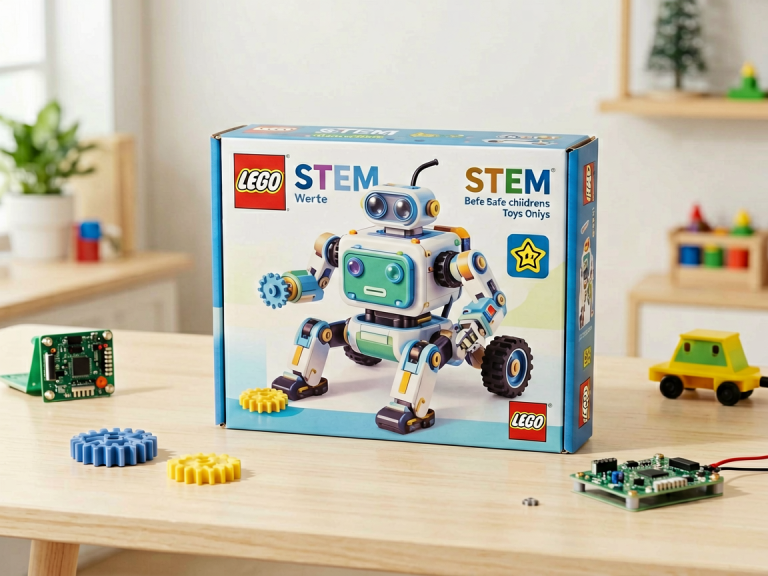
Robot toys, on the other hand, are physical, often motorized devices that perform actions in the real world. They range from simple remote-controlled cars to sophisticated programmable bots like LEGO Mindstorms, the Sphero SPRK+, and the Anki Cozmo. While many robot toys incorporate coding elements—for instance, allowing users to drag-and-drop commands to control movement—the core experience is physical interaction. The child sees a tangible robot respond to instructions, which adds a layer of kinesthetic and spatial learning absent in screen-based or block-based coding toys. Robot toys also typically emphasize engineering and design, as children may assemble components, attach sensors, or modify the robot’s physical structure.
Educational Objectives and Skill Development
The primary educational goal of coding toys is to build computational thinking—the ability to solve problems by breaking them down into logical steps. According to researchers like Jeannette Wing, computational thinking is a fundamental skill for everyone, not just programmers. Coding toys excel at teaching abstraction, pattern recognition, and algorithmic design. For example, a child using a Code-a-pillar learns that the order of segments matters; reversing two blocks changes the outcome. This direct cause-and-effect relationship reinforces sequencing and debugging. Moreover, coding toys often include failure as a natural part of play: when a program fails, the child must re-evaluate the sequence, fostering resilience and iterative thinking.
Robot toys offer a broader skill set that includes not only coding but also mechanical engineering, physics, and spatial reasoning. When a child builds a LEGO Mindstorms robot, they must consider gear ratios, weight distribution, and motor power. Programming that robot to navigate a maze introduces concepts like sensor feedback, decision-making, and real-time control. Robot toys also provide immediate, tangible feedback: a robot can tip over, miss its target, or collide with a wall. These physical consequences teach children to anticipate real-world constraints. Furthermore, robot toys often encourage collaborative problem-solving, as children may work in teams to design and test their creations. However, some argue that robot toys can overwhelm younger learners with their mechanical complexity, diverting attention from pure coding logic.
In terms of cognitive development, coding toys tend to emphasize abstract reasoning, while robot toys emphasize applied, contextual learning. A child who masters coding with blocks may still struggle to transfer that knowledge to a physical robot, because the robot introduces variables like friction, battery level, and sensor accuracy. Conversely, a child who succeeds with a robot may have a deeper understanding of how code interacts with the physical world, but may lack practice with pure logic puzzles. The ideal approach, therefore, is to introduce coding toys first as a foundation, then progress to robot toys to see those concepts in action.
Engagement and Interaction Styles
The way children interact with coding toys versus robot toys differs markedly. Coding toys are often self-contained and introspective. A child sits at a table, arranging blocks or tapping a screen, watching a virtual character move. The feedback is typically visual and auditory, but the play space is limited to the toy itself or a tablet. This can be ideal for focused, independent play and for children who prefer quiet, systematic tasks. However, this mode may fail to engage kinesthetic learners who crave physical movement and hands-on manipulation.
Robot toys, by contrast, are dynamic and extroverted. A robot rolling across the floor, beeping, flashing lights, and avoiding obstacles creates a spectacle that can captivate an entire room. Children often run after the robot, pick it up, and reconfigure it. This high level of physical engagement makes robot toys excellent for group activities and for children who have shorter attention spans—the robot’s movement holds their interest. Additionally, robot toys often incorporate elements of gamification such as challenges, races, or battles, which can motivate children to refine their code to achieve a specific goal.
However, the excitement of robot toys can also be a double-edged sword. Some children become so focused on the robot’s actions that they treat it like a remote-controlled car, ignoring the underlying programming logic. They may accidentally trigger pre-programmed behaviors without understanding how the code works. In contrast, coding toys typically force children to actively construct each command, ensuring that learning is intentional rather than accidental.
Age Appropriateness and Accessibility
Coding toys are generally designed for younger children, starting as early as age three. The Code-a-pillar, for example, has large, colorful segments that are easy to grasp, and the programming logic is intuitive (forward, left, right, etc.). Similarly, Cubetto can be used by preschoolers who have not yet learned to read. The low barrier to entry—no screens, no wiring, no complex assembly—makes coding toys highly accessible. They are also inexpensive, with many options under $50. For older children, advanced coding toys like Osmo Coding with its app-based levels can scale up to introduce loops and conditionals.
Robot toys tend to have a higher age floor. Simple robots like the WowWee COJI (a smiley robot that uses emoji commands) target ages 4 and up, but most programmable robots require elementary school reading and math skills. LEGO Mindstorms recommends ages 10+, and the Sphero SPRK+ is best for ages 8+. Assembly and troubleshooting can be frustrating for younger children without adult assistance. Moreover, robot toys are often more expensive; a single LEGO Mindstorms kit can cost several hundred dollars. This price point, combined with the need for replacement parts or batteries, makes robot toys less accessible for families on a tight budget.
It is also important to consider neurodiversity. Children on the autism spectrum, for instance, may be overwhelmed by the lights, sounds, and erratic movements of a robot toy. Coding toys, with their predictable, visual feedback, can be more calming. Conversely, children with attention deficit hyperactivity disorder (ADHD) may benefit from the physical activity that robot toys encourage.
Pros and Cons: A Comparative Analysis
To summarize the key trade-offs, here is a structured look at the advantages and disadvantages of each category:
Coding Toys:
- Pros:
- Lower cost and broader accessibility.
- Develops pure logic and sequencing skills without distractions.
- Safe for very young children; no small parts or sharp edges.
- Encourages independent, quiet focus.
- Cons:
- Lacks real-world physical interaction; may feel abstract.
- Limited opportunities for engineering and design thinking.
- Can become repetitive after a child masters the basic commands.
- Some parents report that children lose interest because there is no “living” character to engage with.
Robot Toys:
- Pros:
- Integrates multiple STEM disciplines: coding, mechanics, physics.
- Provides immediate, tangible feedback that is highly motivating.
- Promotes collaboration and communication in group settings.
- Offers endless customization and open-ended challenges.
- Cons:
- Higher cost and complexity; may require adult supervision.
- Time spent on assembly and troubleshooting can distract from coding.
- Can be frustrating when hardware fails (e.g., motor jams).
- Age-inappropriate for preschoolers; risk of choking on small parts.
The choice ultimately depends on a child’s temperament, age, and the educational priorities of the parent or educator. A child who loves puzzles and logic games may thrive with coding toys, while a child who enjoys building and tinkering may prefer robot toys. Ideally, a balanced “tech diet” that includes both can provide the most comprehensive learning experience.
The Blurring Line: Hybrid Innovations
In recent years, toy manufacturers have recognized that the dichotomy between coding toys and robot toys is artificial. A new generation of hybrid toys merges the best of both worlds. For example, the Root Robot from iRobot is a small, magnetic robot that can be programmed at three levels: from simple graphical blocks (like Scratch) to full Python text code. Its movements are precise, and it can draw on a whiteboard, providing physical output while emphasizing coding logic. Similarly, the Marty the Robot is a walking, dancing robot that can be controlled via Scratch, Python, or even Snap circuits, blending electronics and programming.
Another notable hybrid is the Botley 2.0 from Learning Resources, which is a screen-free coding robot that uses a physical remote to input a sequence of commands. It offers obstacle detection and object detection, combining the simplicity of block-based coding with the sensory feedback of a robot. These hybrids are designed to grow with the child, offering both the purity of coding challenges and the thrill of real-world interaction.
The blurring of lines suggests that the coding-toys-versus-robot-toys debate may soon become obsolete. Instead, manufacturers are focusing on scalability—toys that start as simple coding tools and evolve into sophisticated robotics platforms. For parents, this means more versatile investments: a single hybrid toy can serve a child from preschool through middle school.
Conclusion: Choosing the Right Path
Coding toys and robot toys are not adversaries but complementary partners in a child’s developmental journey. Coding toys lay the cognitive foundation for algorithmic thinking, while robot toys breathe life into those abstract concepts by connecting them to the physical universe. When selecting a toy, consider the child’s age, learning style, and available resources. A three-year-old might begin with a Code-a-pillar, progress to a Sphero SPRK+ at age seven, and graduate to a LEGO Mindstorms kit at age ten. Throughout this progression, the child will not only learn to code but also develop patience, creativity, and a deeper appreciation for how technology shapes the world.
Ultimately, the most important factor is not the category of the toy, but the quality of the play. Does the toy encourage tinkering? Does it invite failure and revision? Does it spark curiosity? Whether a child is arranging wooden blocks to guide a Cubetto or debugging a Python script to make a robot dance, they are engaging in the essential skill of the 21st century: learning to think in algorithms. As parents and educators, our role is simply to provide the keys to that kingdom—and then step back and watch the magic unfold.